Is your email inbox overflowing? You’re not alone. Many people find their inboxes filled with a mix of important messages, job alerts, and newsletters they don’t remember signing up for. When your digital workspace gets too cluttered, it can make your online life feel disorganized and stressful.
Think about how much time you spend sorting through emails you don’t need. It’s frustrating, isn’t it? This clutter not only makes it difficult to find important messages but also leaves you more vulnerable to spam.
But don’t worry – there’s a solution. In this article, you’ll learn how to take control of your inbox by unsubscribing from unwanted emails. Whether you use Gmail, have an iPhone, or prefer Outlook, you’ll find helpful tips here.
How To Unsubscribe From Emails?
Are you tired of your inbox overflowing with emails you never asked for? Don’t worry, you’re not alone. Let’s talk about how you can clean up your digital space and get rid of those pesky, unwanted messages.
The Unsubscribe Link: Your Quick Escape Route. The fastest way to declutter your inbox is usually right at your fingertips. Most emails have an unsubscribe link at the bottom – it’s actually required by law! Just scroll down to the end of the email and look for the word “unsubscribe” or something similar. Click it, and you’re on your way to a cleaner inbox.
When the Unsubscribe Link Plays Hide and Seek. Sometimes, that unsubscribe link can be a bit sneaky. If you can’t spot it right away, take a moment to read through the entire email. The instructions might be hidden in the text, or you might need to follow a few steps on a different webpage.
Other Ways to Say “No More, Please”. Occasionally, you might need to get a bit more creative. Some senders ask you to reply with the word “unsubscribe” in your message. Others might want you to use a specific subject line in your reply. Always read the whole email to catch these special instructions.
Now, let’s look at how to unsubscribe using some popular email services:
#1 Gmail
Gmail uses some clever tech to sort your emails automatically. It tries to keep your main inbox clean by putting marketing emails into separate tabs like Promotions or Social.
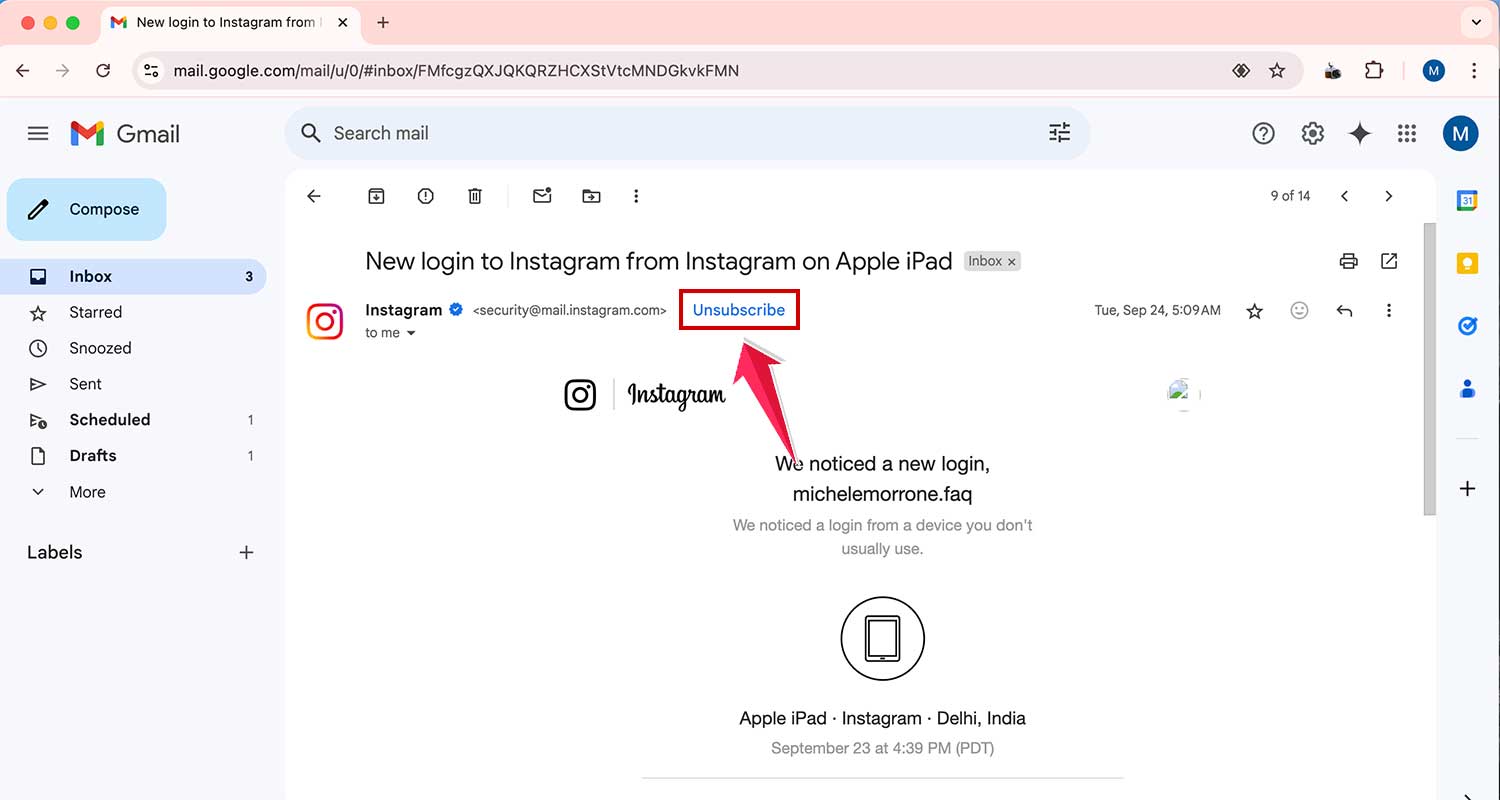
But here’s a neat trick: Gmail often puts an unsubscribe link right next to the sender’s name, just below the subject line. Click it, confirm, and Gmail will send future emails from that sender straight to your spam folder.
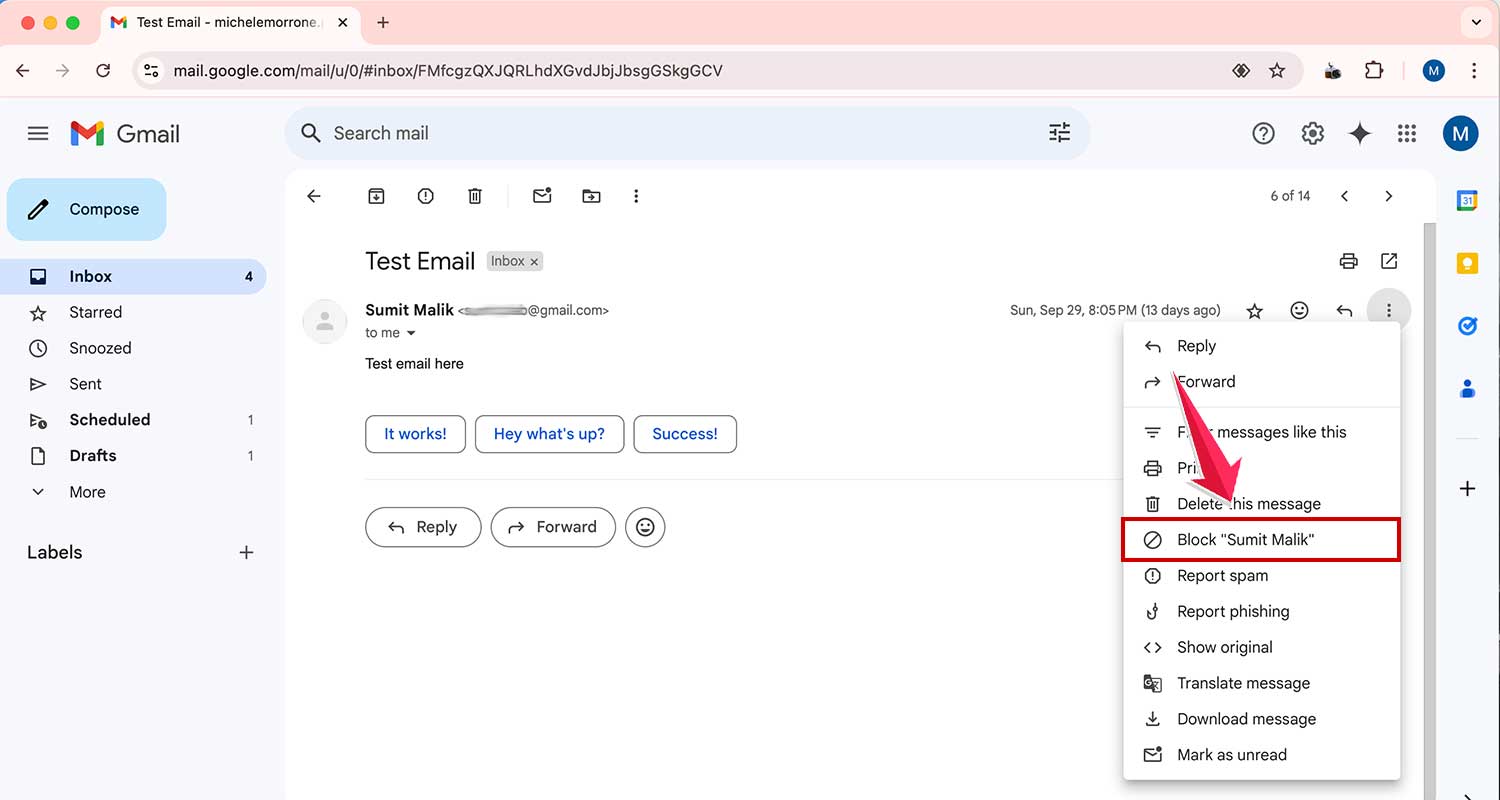
If you want to go a step further, you can block a sender completely. Just click the three dots next to the sender’s name and choose “Block” from the menu.
#2 iOS Mail App
If you’re using an iPhone or iPad, Apple’s made it super easy for you. The Mail app can spot promotional emails and newsletters. It’ll show a big Unsubscribe button at the top of these emails. One tap, one confirmation, and you’re done!

#3 Outlook
Outlook keeps things simple too. Whether you’re on your phone or computer, you’ll see an unsubscribe link at the top of promotional emails. Click it, confirm, and you’re unsubscribed.
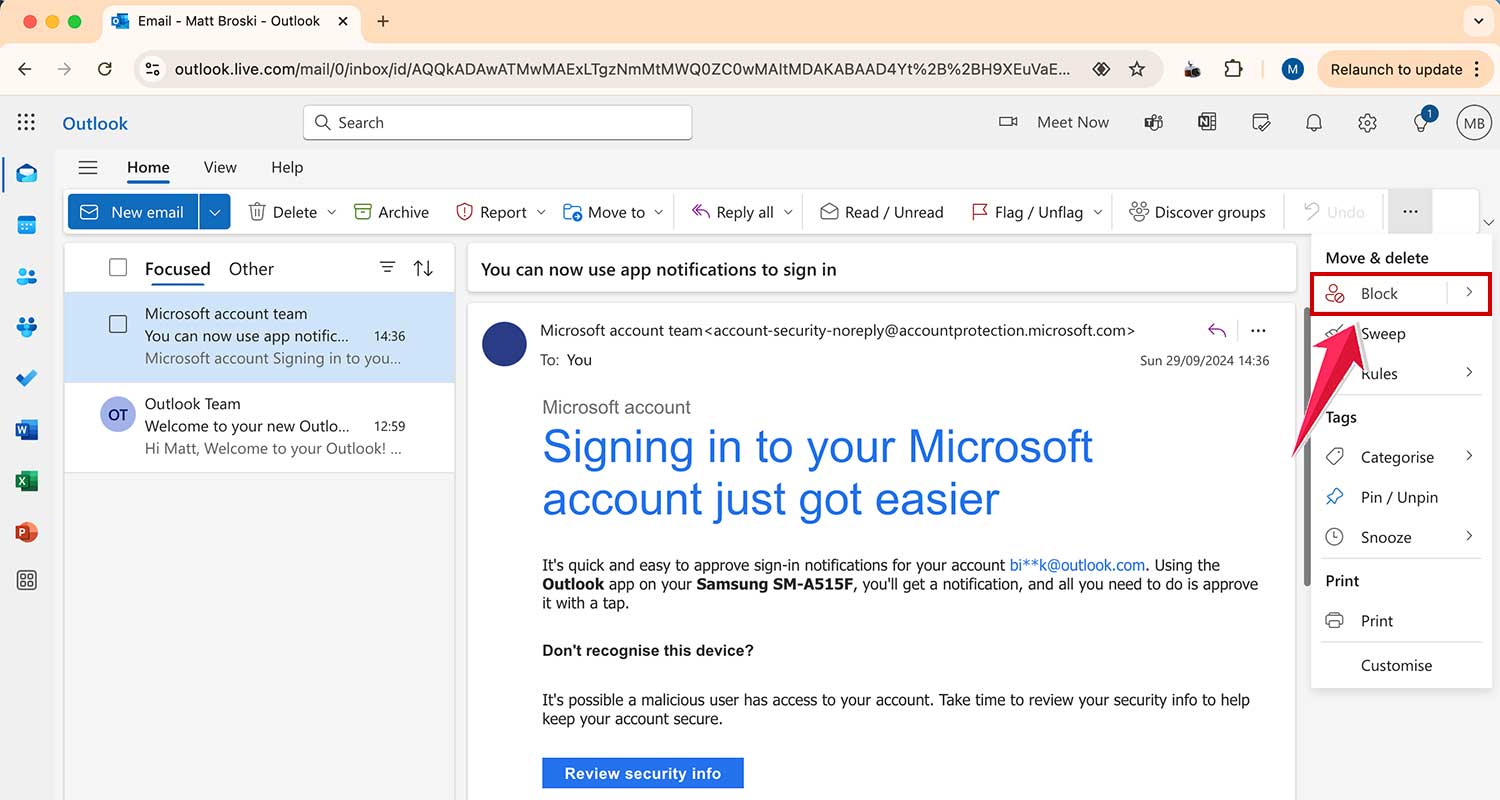
To block a sender in Outlook, you’ll need to use the desktop version. Open an email from the sender, click the dotted icon menu, and select “Block.”
#4 Yahoo Mail
Yahoo Mail handles things a bit differently depending on whether you’re on your phone or computer. On your phone, open an email, tap the dotted menu, and you can choose to unsubscribe or mark as spam.

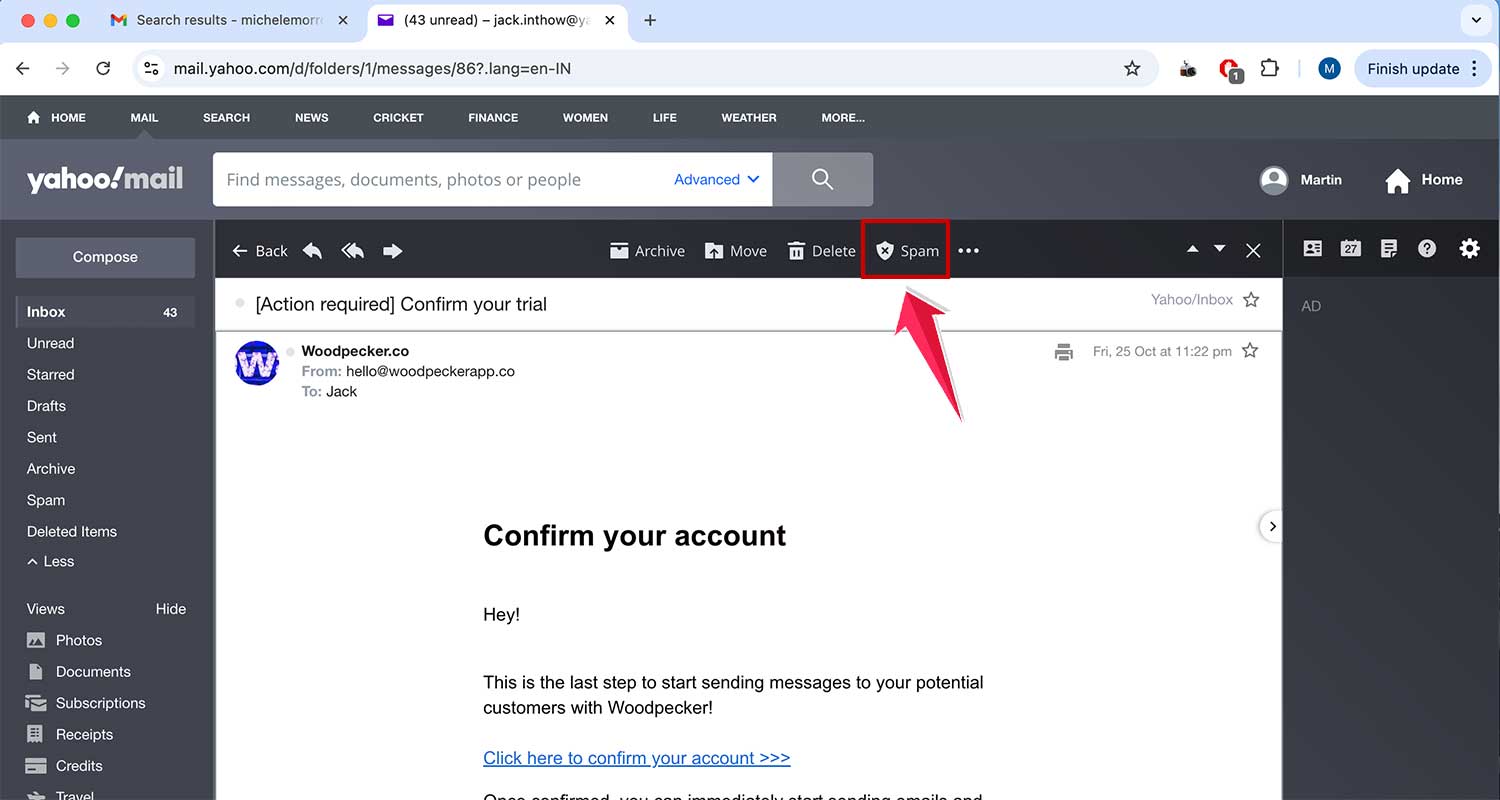
On your computer, Yahoo Mail doesn’t show an unsubscribe link inside the email. Instead, look at the top menu where you can mark an email as spam or block the sender.
Remember, taking control of your inbox might take a little time, but it’s worth it. A tidy inbox means less stress and more focus on the emails that really matter to you.
Wrapping It Up
Alright, let’s bring it all together. Managing your email doesn’t have to be a headache. Whether you prefer to roll up your sleeves and unsubscribe manually or use some nifty tools to do the heavy lifting, the goal is to take charge of what lands in your digital mailbox.
Here’s the thing: a tidy inbox isn’t just about having fewer emails. It’s about giving your brain a break and making your day run smoother. When you cut out the clutter, you’re making room for what really matters.
So why not give it a shot? Take a few minutes today to unsubscribe from those emails you never read anyway. Trust me, your future self will thank you. With a cleaner inbox, you’ll have more time and energy for the important stuff – whether that’s tackling your to-do list or just enjoying a bit of peace and quiet.
Remember, your inbox should work for you, not the other way around. So go ahead, take control, and turn your inbox into a place that helps you get things done, instead of a source of stress. You’ve got this!