Ever found yourself scratching your head over those little symbols popping up in your app? Don’t worry, you’re not alone.
Today, we’re going to unravel the mystery of the blue checkmark next to a person on Snapchat. Buckle up because we’re about to dive into the world of Snapchat friendships!
First things first, let’s talk about what Snapchat means to you. It’s not just another messaging app, right? It’s where you can get creative with those fun filters, turning yourself into a potato or a puppy.
It’s where you share those fleeting moments with your friends. But sometimes, those little symbols can leave you confused. That’s where I come in to help you out.
What does the blue checkmark next to a person mean on Snapchat?
So, what’s the deal with that blue checkmark? When you see a blue person icon with a checkmark next to someone’s name, it’s Snapchat’s way of telling you something important about your friendship status.
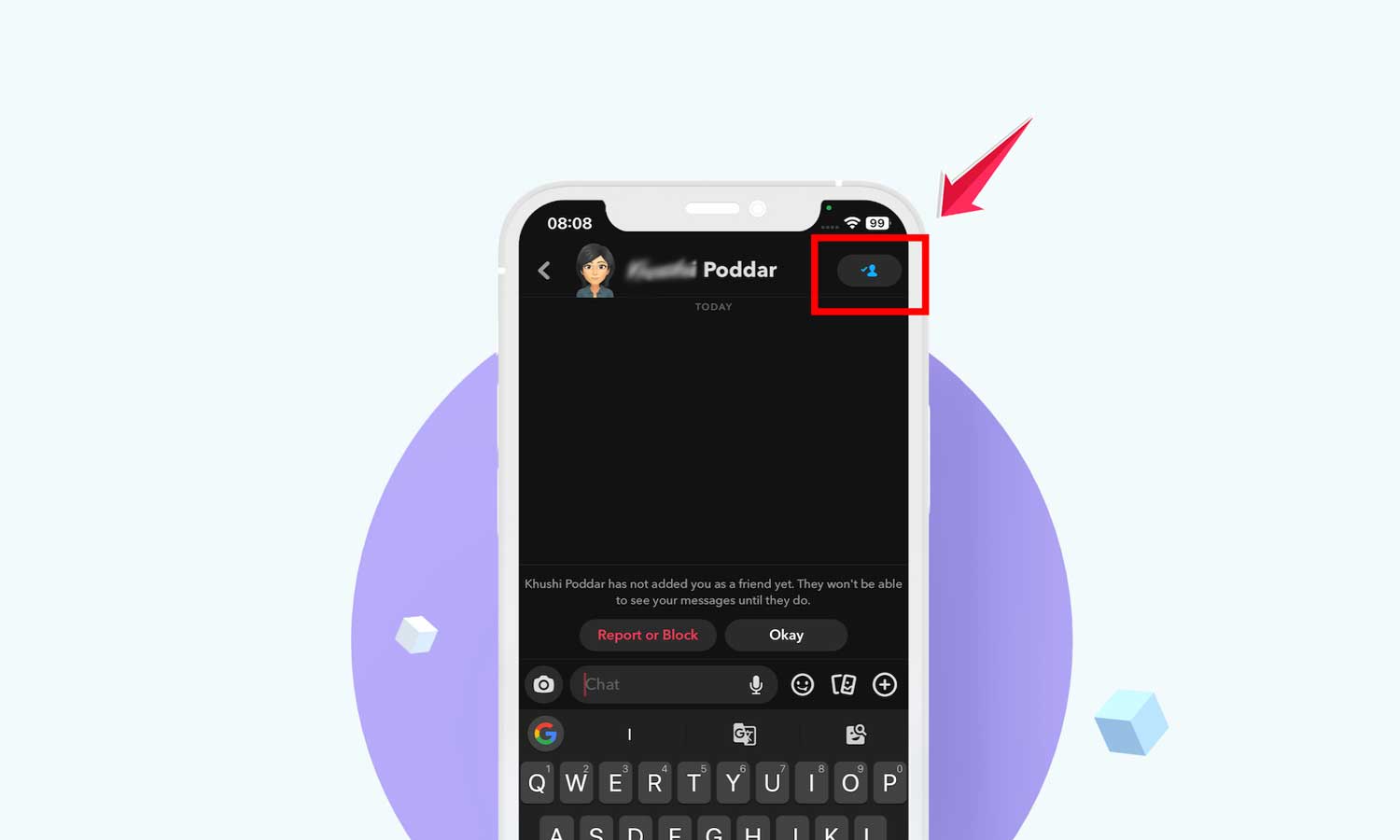
1. You have a Pending Friend Request
You’ve sent them a friend request, but they haven’t accepted it yet. It’s like you’ve extended a digital handshake, and you’re waiting for them to shake back.
2. You have been removed from the Friends List
The person has removed you from their friend’s list. It doesn’t necessarily mean anything personal – people clean up their social media connections all the time.
Now, you might be wondering, “Can I still send messages to this person?” The answer is yes, but there’s a catch.
You can send messages, and Snapchat will show them as “Delivered“. However, the recipient won’t actually see your messages until they add you back as a friend.
How can you tell if someone has removed you on Snapchat?

Feeling a bit detective-y? Here’s how you can figure out if someone has given your Snapchat friendship the boot:
1. Check your memories
First, make sure you were actually friends on Snapchat before. It sounds obvious, but sometimes we forget who we’ve added and who we haven’t.
2. Visit your profile
Open up Snapchat and head to your profile. Tap on “My Friends” to see your current friend list.
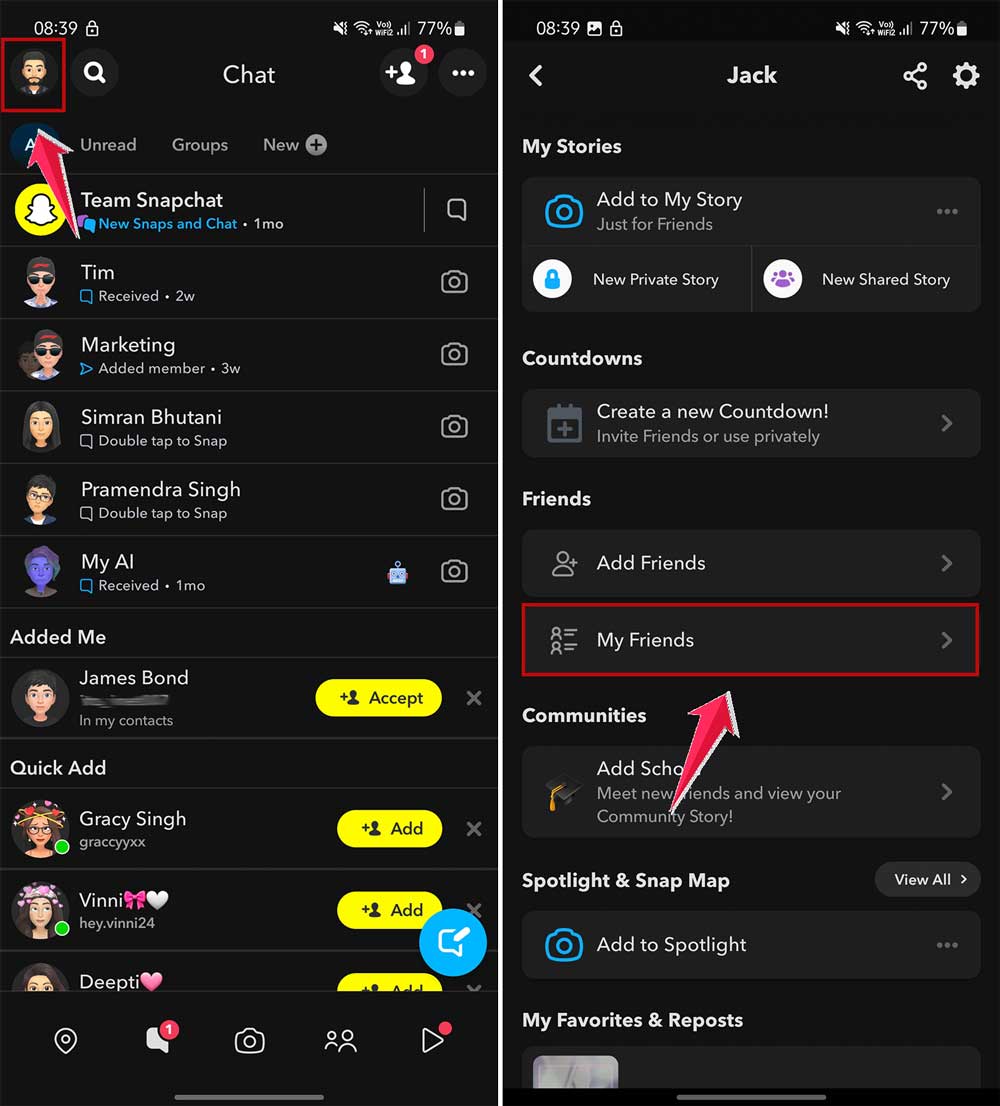
3. Search for their username
In the search bar, type in their username. If they don’t show up in your friends list, there’s a good chance they’ve removed you.

Remember, Snapchat friendships can be fleeting. If someone’s not on your list anymore, don’t take it too personally. There are plenty of other snap-happy folks out there to connect with!
How to remove or unadd someone on Snapchat?
Maybe you’re the one looking to tidy up your friends list. No judgment here! Let’s walk through how to remove someone:
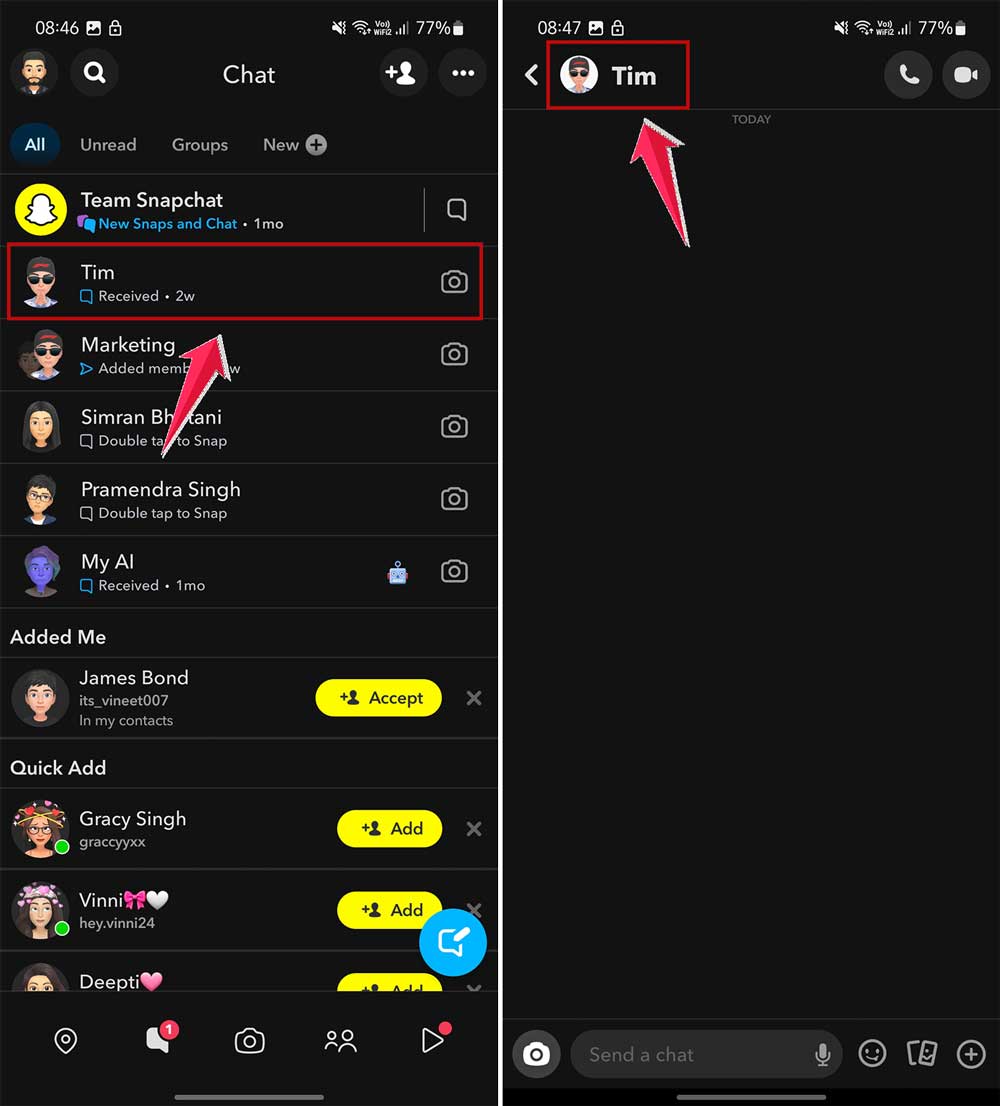
- First, open up the chat with the person you want to remove.
- Look for their name at the top left of the chat and give it a tap.
- See those three little dots in the top right corner? Tap on those and select “Manage Friendship“.

- You’ll see an option to “Remove Friend“. Tap on that, and then confirm your choice when Snapchat double-checks with you.

Changed your mind? Want to add them back?
No worries! If you’re feeling a bit of remorse or just miss their snaps, here’s how to add them back:
- Use the search bar to find their profile.
- Once you find them, you’ll see an “Add” icon next to their name. Just tap on that.

But remember, they’ll need to add you back, too, for you to be Snapchat pals again. Friendship is a two-way street, after all!
Wrapping it up
So there you have it, friend! We’ve decoded the mystery of the blue checkmark, learned how to spot when someone’s removed us, and even how to manage our own friend list.
Snapchat might seem like it has its own language sometimes, but with a little know-how, you’ll be navigating it like a pro.
Remember, Snapchat is all about having fun and connecting with people. Sometimes friendships change, and that’s okay. The most important thing is to keep spreading good vibes, sharing laughs, and being kind to one another.
Keep snapping, keep exploring, and most importantly, keep having fun! Until next time, happy using it!