Have you lost access to your Yahoo account? Don’t worry! This guide will walk you through the process of recovering your Yahoo account step by step.
Whether you’ve forgotten your password, can’t log in, or think you might have accidentally deleted your account, you’ll find the help you need right here.
By the end of this article, you’ll have all the information you need to regain access to your Yahoo account and get back to using your email and other Yahoo services.
How to Recover Your Yahoo Account
Recovering your Yahoo account can be straightforward, especially if you remember your username or password. You’ll need access to a registered phone number or email address to reset your credentials effectively.
- Go to the Yahoo Login Page and try to sign in with your previous credentials.

- If that doesn’t work, choose a verification method. You might receive a code on your phone, or you can select “I need more options“
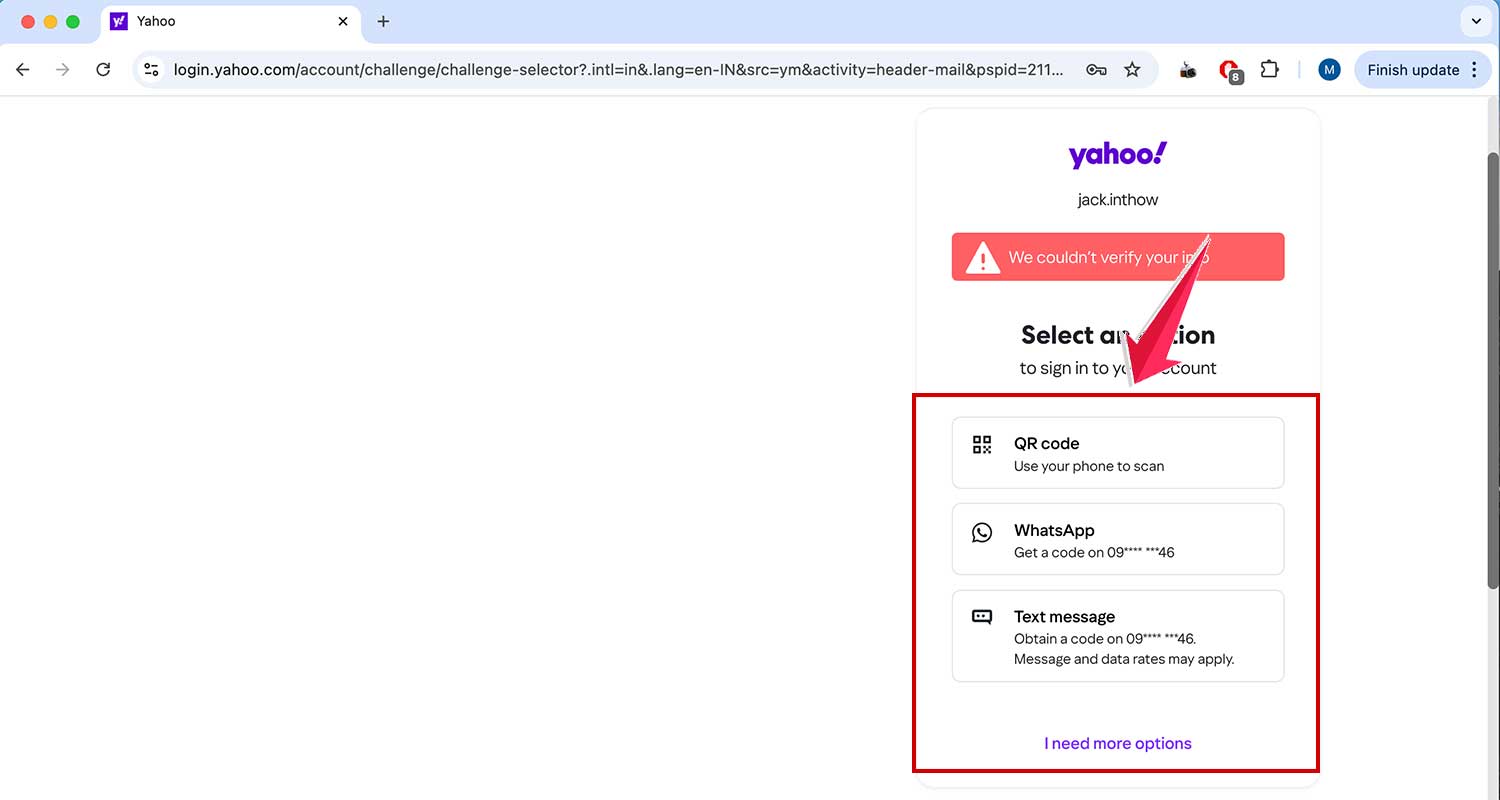
- Enter the verification code you receive and set a new password.

- After setting your password, you’ll be asked to confirm your account recovery settings. Review these or click “Done” to proceed.
- Your mailbox should now be reactivated.

What If You Don’t Have Access to Your Recovery Email or Phone?
If you don’t have an alternative recovery email or phone, you’ll need to contact Yahoo directly:
- Go to the Yahoo login page. Enter your username and then click on “Forgotten password?“

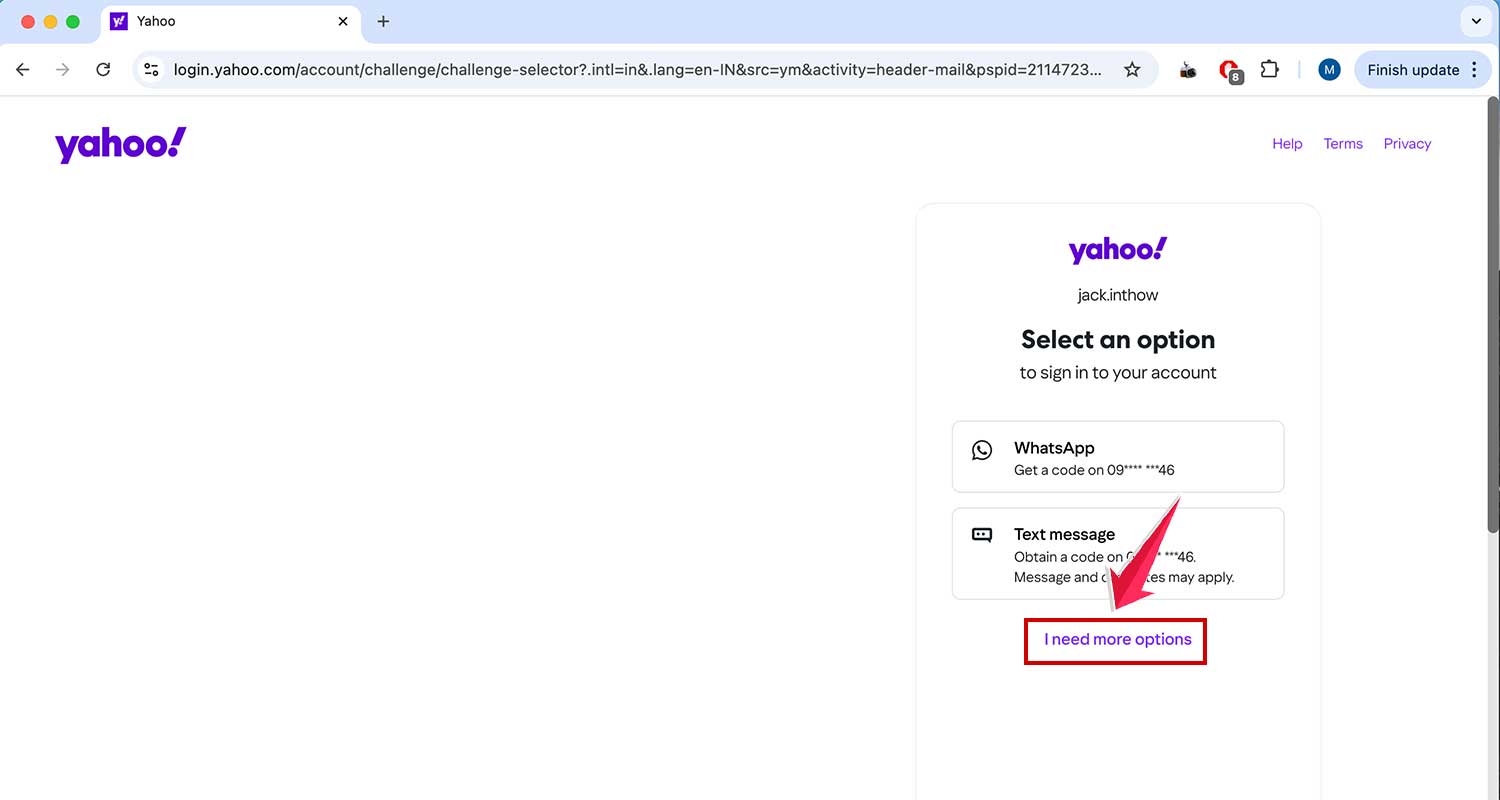
- Select “I need more options“.
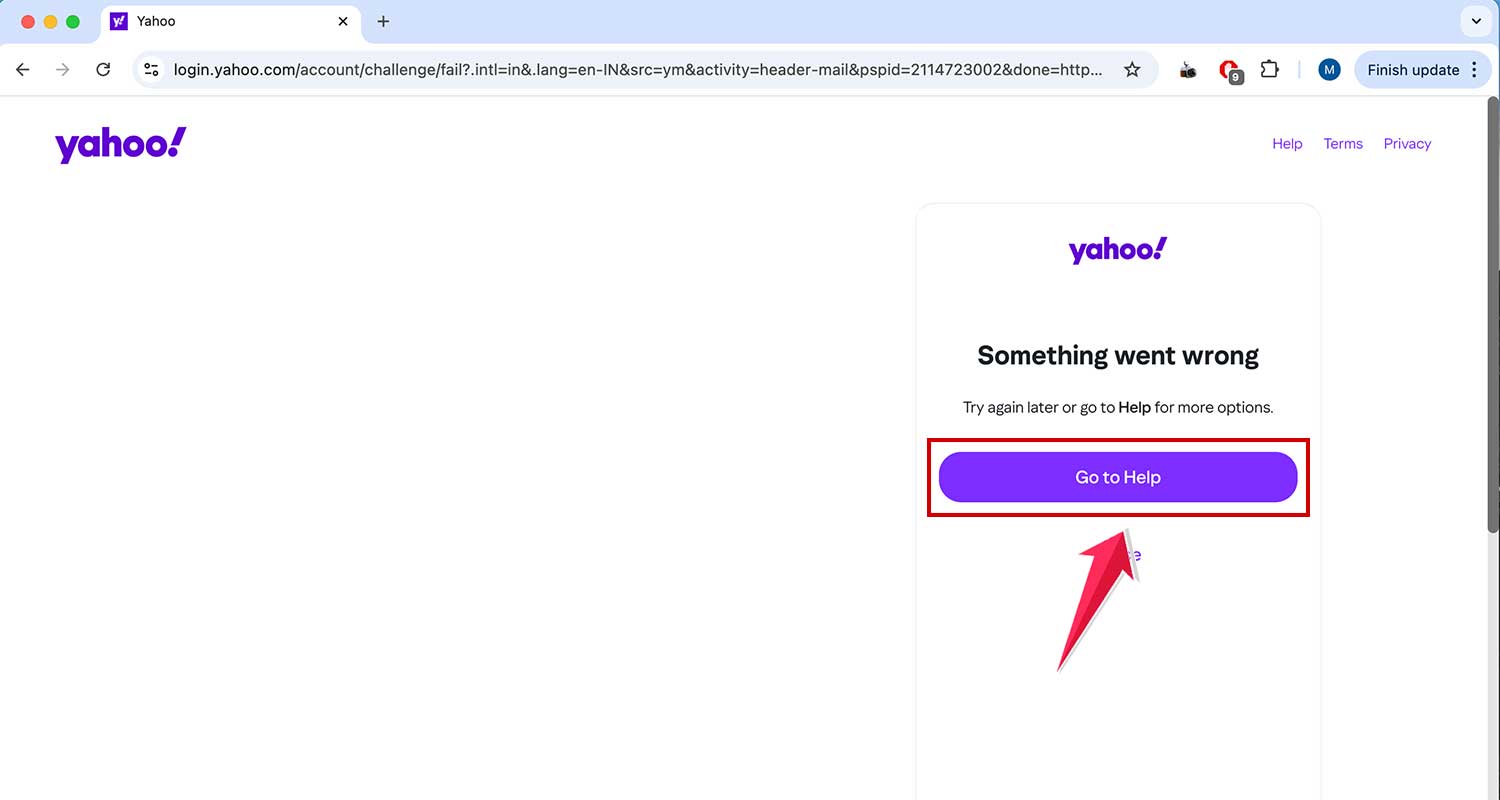
- Then click on “Go to Help.“
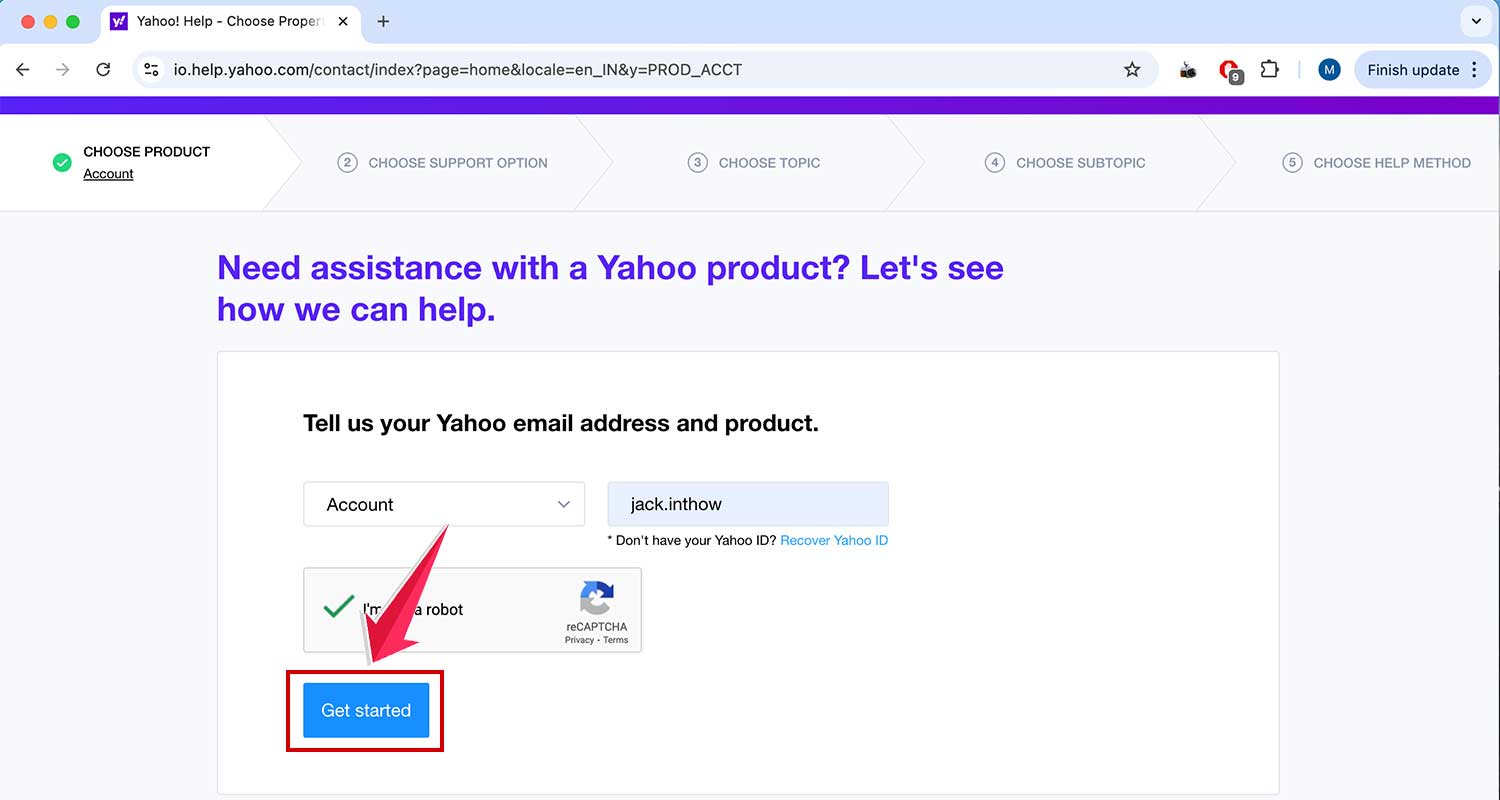
- Now enter your username and then click on Get started to proceed.
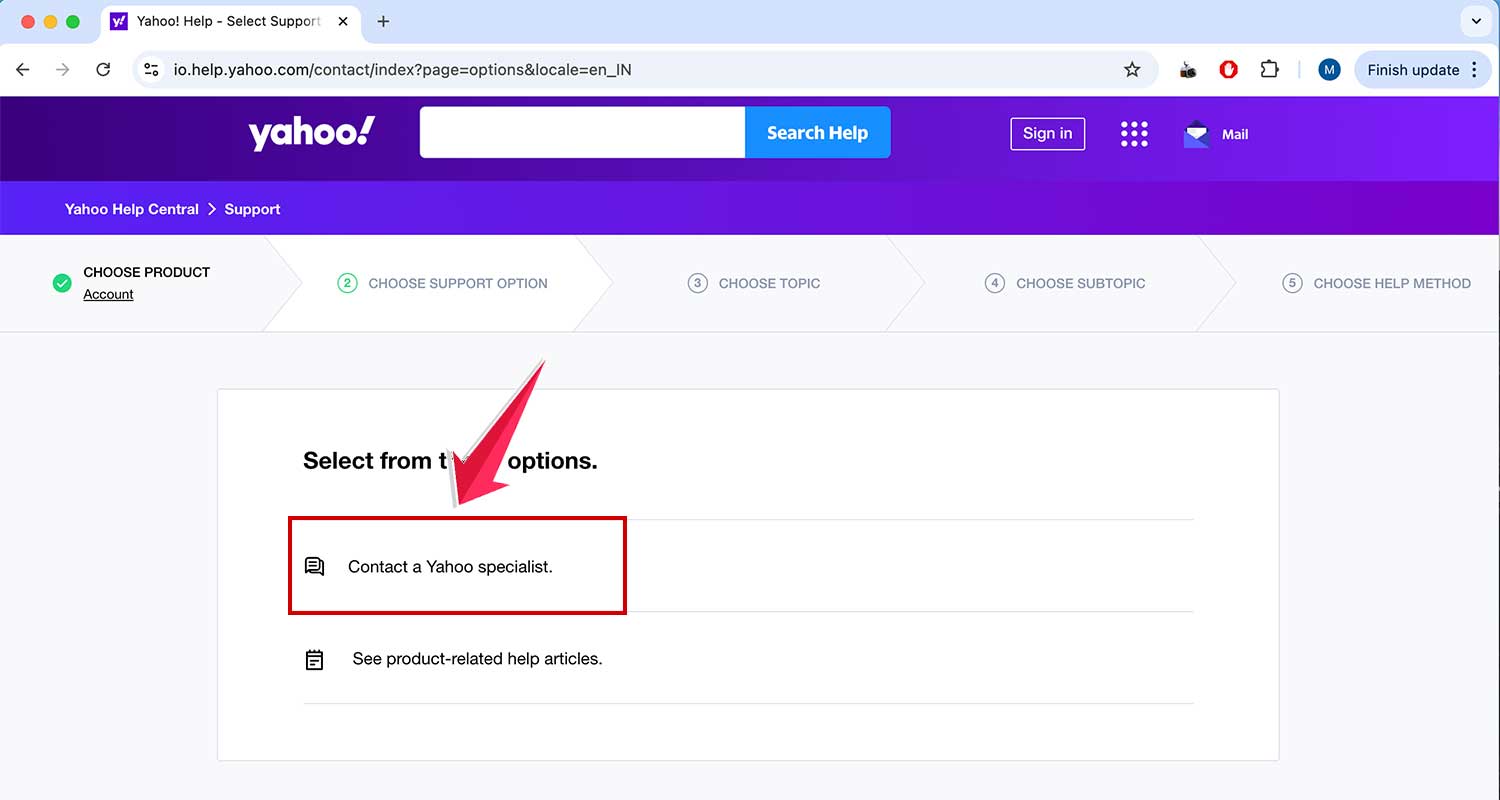
- Then click on Contact a Yahoo specialist.
- Fill out the form and submit your inquiry, then wait for Yahoo’s response.
Remember, without sufficient proof of identity, Yahoo may not be able to grant you access.
If your account was deleted more than 30 days ago, recovery isn’t possible in most regions. However, different timeframes apply in some countries:
- 90 days: Australia, India, New Zealand
- 180 days: Brazil, Taiwan, Hong Kong
If your account falls outside these recovery windows, you might need to create a new email account with Yahoo or another provider like Gmail or Outlook.
Remember, the key to avoiding these issues is to regularly log into your account and keep your recovery information up to date. If you have any more questions about recovering your Yahoo account, feel free to ask!
Wrapping Up
So, there you have it! Recovering your Yahoo account doesn’t have to be a headache.
Whether you’ve forgotten your password or you’re trying to get back into an account you thought was lost, you now have the steps to guide you through the process.
Remember, the best way to avoid these issues is to keep your account active and your recovery information up to date.
It’s also a good idea to use strong, unique passwords and change them regularly. Think of it as giving your digital home a security upgrade!
If you find that too much time has passed and you can’t recover your old account, don’t worry. Starting fresh with a new account can be a great opportunity to organize your online life.
We’d love to hear about your experiences with Yahoo account recovery. Drop a comment below and let us know.