You’ve just noticed your Instagram follower count has dropped, and now you’re wondering who unfollowed you. It’s a common curiosity – after all, Instagram is about connecting with others, and it’s natural to want to know if someone’s decided to disconnect.
Maybe you’re managing your personal account and keeping in touch with friends and family. Or perhaps you’re building a brand or working as an influencer, where follower numbers can be crucial. Whatever your reason, that sudden dip in followers has caught your attention.
Here’s the thing: Instagram doesn’t make it easy to track unfollows. They don’t send notifications when someone unfollows you, and there’s no built-in feature to show you who’s left your follower list. It can be frustrating, but don’t worry – you’re not out of options.
In this article, you’ll discover simple methods to check who’s no longer following you on Instagram. We’ll walk you through different approaches you can try right now, from manual checks to using helpful apps.
How to manually check who unfollowed you on Instagram
If you’re wondering about a specific person who might have unfollowed you on Instagram, you can check manually.
1. Manual method
- Open your Instagram app and go to your profile.
- Tap on your follower count at the top of your profile page.
- In the search bar, type the name of the person you’re curious about.
- If their name doesn’t appear in the results, they’ve likely unfollowed you.
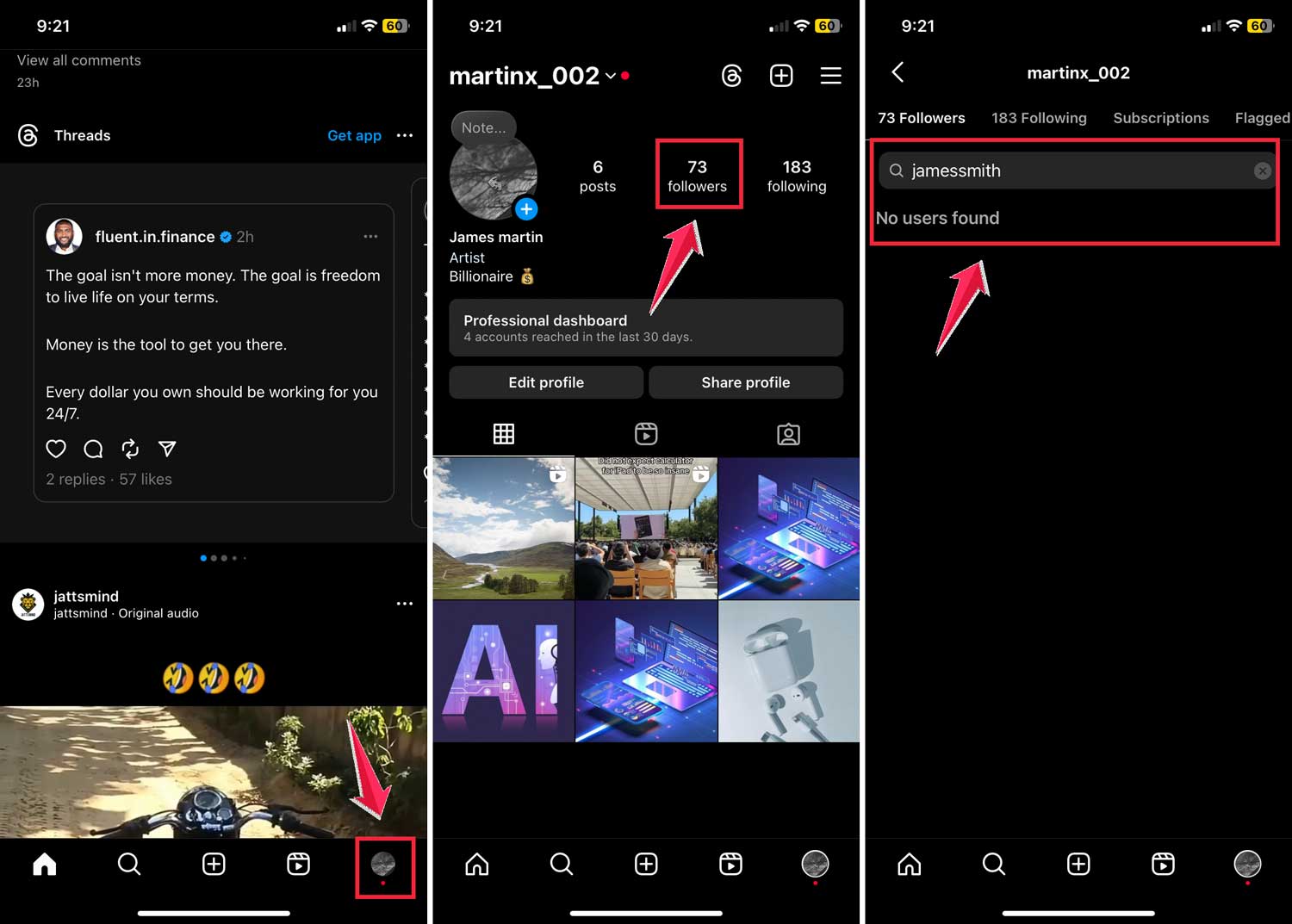
This method works well if you have a particular person in mind. It’s a quick and easy way to satisfy your curiosity without using any extra tools.
You can also use this method to manage your own following list. If you want to unfollow someone, just search for their name and tap the “Remove” button next to it.
Keep in mind that this manual method can be time-consuming if you’re trying to check multiple people. For a more comprehensive view of your follower changes, you might want to consider other options.
2. Using a third-party app
If you’re looking for a more efficient way to see who’s unfollowed you on Instagram, you might consider using a third-party app. One popular option is FollowMeter, available for both Android and iOS devices.
Here’s how you can use FollowMeter:
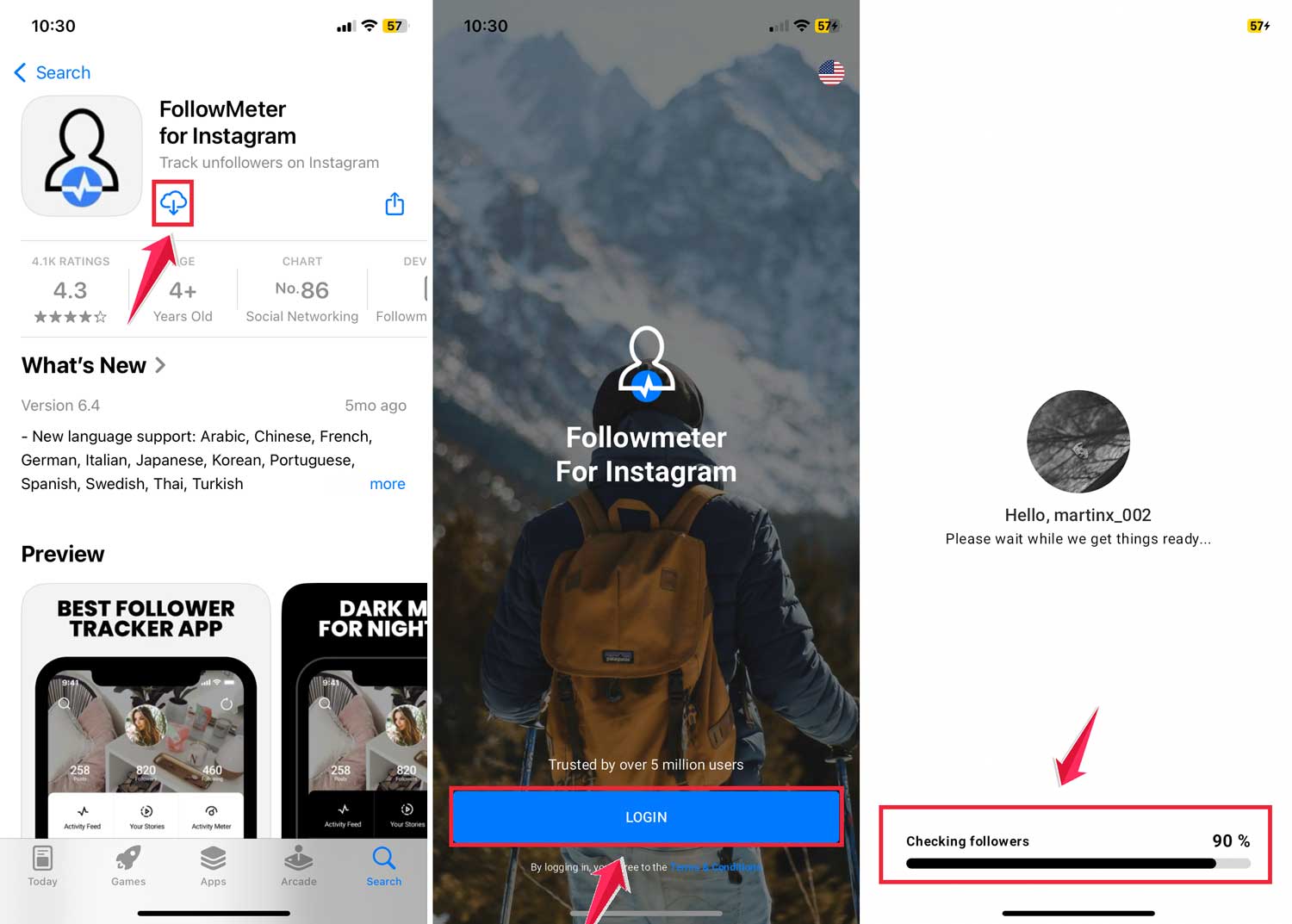
- Download the app from your device’s app store.
- Open the app and log in with your Instagram account.
- Let the app analyze your account data – this usually takes a minute or two.
- Once the analysis is complete, tap on “Unfollowers” in your Profile Activity panel.
- You’ll see a list of accounts that aren’t following you back.
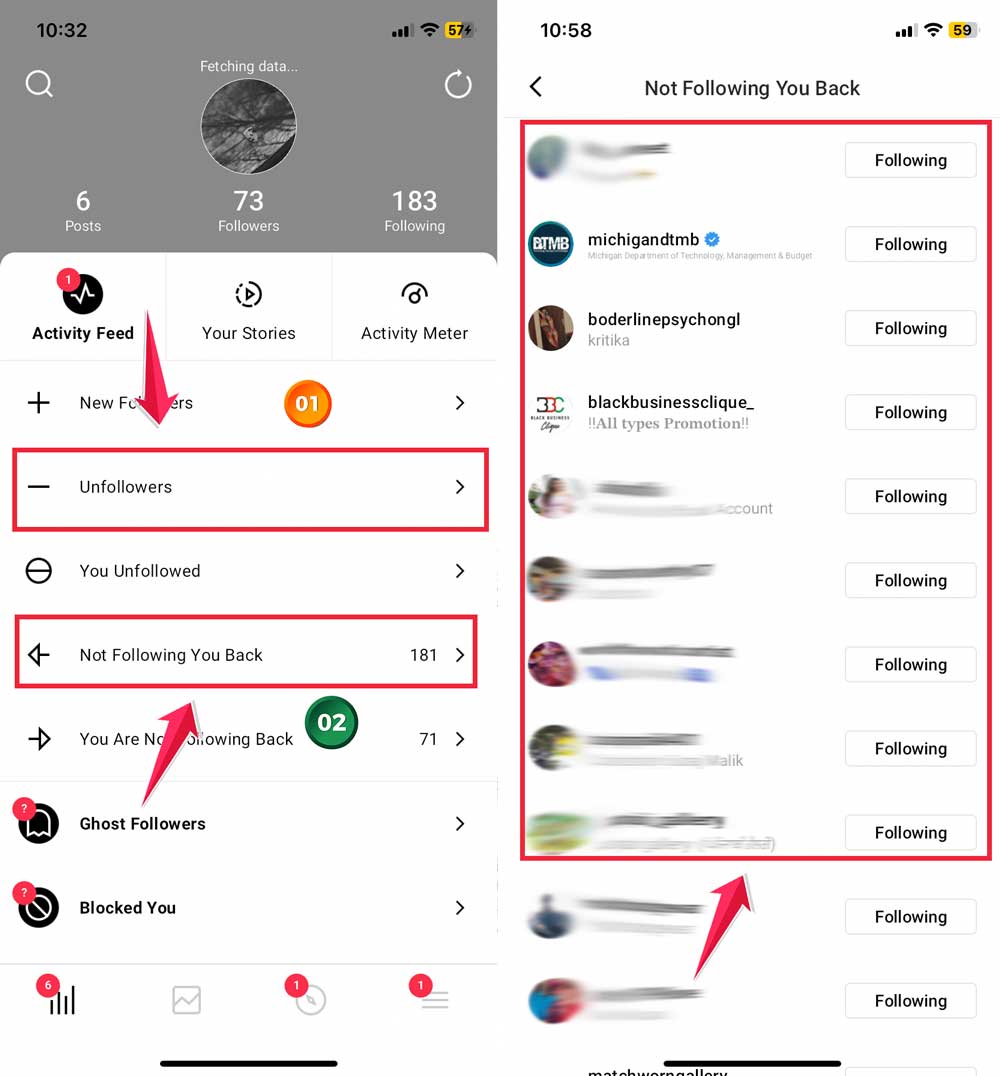
If you want to unfollow anyone from this list, you can do it directly through the app. Just go to the “Following” section and tap the unfollow button next to the relevant accounts.
To get the most up-to-date information, remember to refresh the app regularly. You can do this by tapping the refresh icon in the top right corner of the app’s home screen.
The takeaway
Now you know how to keep tabs on your Instagram followers without breaking a sweat. Whether you prefer the hands-on approach of checking manually or the convenience of an app like FollowMeter, you’ve got options.
Remember, while it’s natural to be curious about your follower count, don’t let it consume your Instagram experience. Your content and the connections you make are what truly matter. Focus on creating and sharing what you love, and the right followers will stick around.
If you decide to use a third-party app, always prioritize your account security. Stick to official app stores and be mindful of the access you’re granting.
Ultimately, Instagram is about expressing yourself and connecting with others. Use these tools to manage your audience, but don’t forget to enjoy the platform.
Keep sharing, stay engaged, and make your Instagram journey uniquely yours. What’s your take on managing followers? Your experience could help others in the community.